-24125.png)

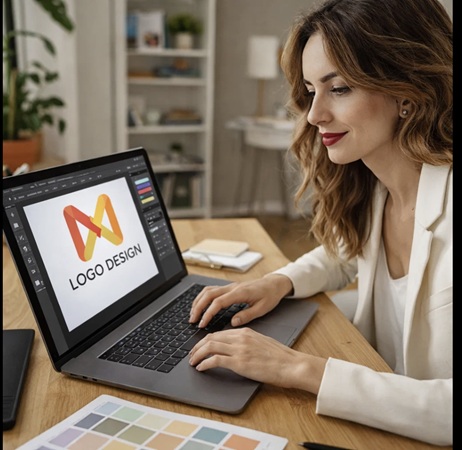
If you're searching for the best refurbished MacBook for graphic design, you're probably trying to balance performance with budget. The good news? A refurbished MacBook can deliver professional-level creative power at a significantly lower price than buying new.
At Tech.Trade, we see designers consistently choose refurbished MacBooks because they offer:
- Professional-grade Retina displays
- Strong GPU performance for Adobe apps
- Excellent colour accuracy (P3 wide colour)
- Long lifespan and resale value
- Major cost savings
Let’s break down which refurbished MacBook models are best for graphic design in 2026.
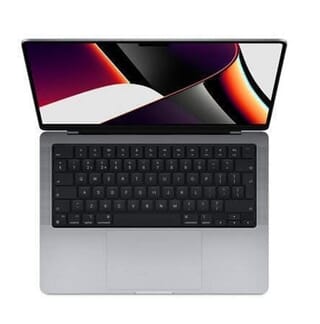
🥇 Best Overall: Refurbished MacBook Pro 14-inch (M1 Pro / M2 Pro)
4
The MacBook Pro 14-inch is the sweet spot for most designers.
Why it’s ideal for graphic design:
- M1 Pro or M2 Pro chip handles large PSD/AI files effortlessly
- Liquid Retina XDR display with P3 colour accuracy
- Excellent brightness for colour-critical work
- Portable but extremely powerful
Recommended specs (refurbished):
- 16GB RAM minimum
- 1TB SSD preferred
- M1 Pro or better
👉 For freelancers and studio designers alike, this is the most balanced refurbished MacBook available today.
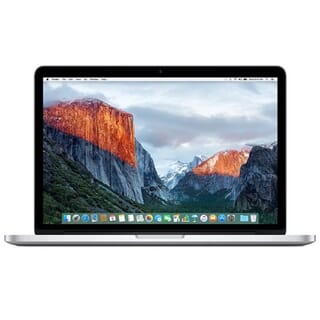
💼 Best Budget Option: Refurbished MacBook Pro 13-inch (M1)
4
The MacBook Pro 13-inch still performs impressively for graphic design.
Best for:
- Adobe Illustrator
- Canva & Figma
- Moderate Photoshop work
- Students & startup designers
While it lacks the extra GPU cores of the Pro/Max models, it’s one of the best value refurbished MacBook options available.
Recommended specs:
- 16GB RAM
- 512GB SSD minimum
🖥️ Best Large-Screen Laptop: Refurbished MacBook Pro 16-inch
4
The MacBook Pro 16-inch is perfect if screen real estate is a priority.
Why designers love it:
- Bigger workspace for layouts
- Strong GPU performance
- Ideal for multitasking across multiple Adobe apps
If you work with complex illustrations, packaging layouts, or UI mockups, the 16-inch refurbished MacBook gives you more room to breathe.
🔍 What to Look for in a Refurbished MacBook for Graphic Design
When choosing your refurbished MacBook, focus on these four essentials:
1️⃣ RAM (Memory)
16GB is the absolute minimum for professional design work.
32GB is ideal if you regularly multitask.
2️⃣ Storage
Always choose SSD.
512GB minimum, 1TB recommended.
3️⃣ Apple Silicon vs Intel
Apple Silicon (M-series) chips outperform Intel models significantly in creative workflows. If your budget allows, always choose M1 or newer.
4️⃣ Display Quality
MacBooks offer industry-leading colour accuracy — perfect for print and digital work.
💡 Why Buy a Refurbished MacBook Instead of New?
Buying a refurbished MacBook means:
✔ Save hundreds of pounds
✔ Same creative performance
✔ Professionally tested hardware
✔ More sustainable choice
For graphic designers, performance matters — but overspending doesn’t.
🏆 Final Verdict: Which Refurbished MacBook Is Best?
For most graphic designers in 2026:
🥇 MacBook Pro 14-inch (M1 Pro) — Best overall
💼 MacBook Pro 13-inch (M1) — Best value
🖥️ MacBook Pro 16-inch — Best large-screen option
If you want the safest, most future-proof choice, go for a refurbished MacBook Pro with at least 16GB RAM and an M-series chip.