-24125.png)

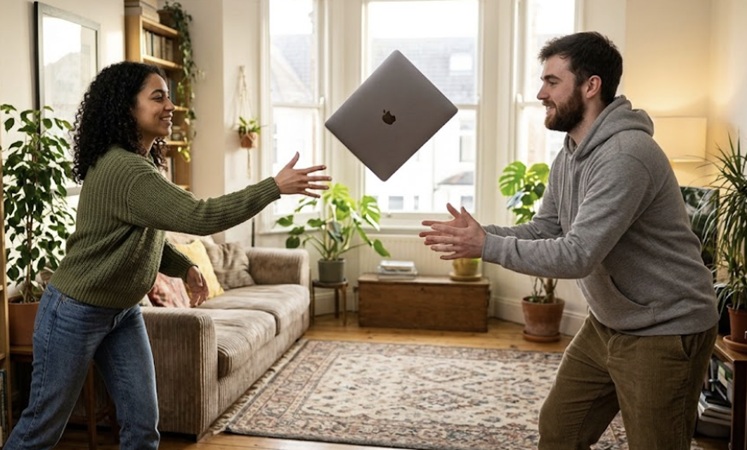
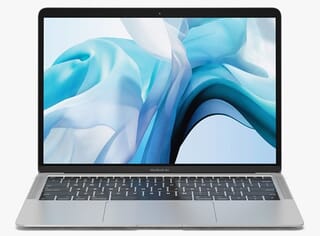
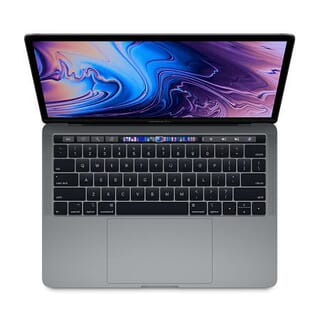
Somewhere in the UK right now, a MacBook is being lifted out of a courier box for the second time in its life. The first time, it was brand new. This time, it's arriving as a refurbished MacBook, and it has been on quite a journey in between.
Most of us never think about that middle bit. A laptop leaves one desk and turns up on another, and what happens in the gap is a bit of a mystery. So here's the story of that gap, from the day it's handed in to the day it's unboxed again.
Chapter one: the hand-in
Every refurbished MacBook starts as someone's old MacBook. Maybe a company refreshed its fleet after three years. Maybe a student finished a degree. Maybe someone simply fancied the new colour.
Whatever the reason, the machine usually arrives in surprisingly good nick. Macs are built from a single block of aluminium, which is why they tend to survive years of being shoved into bags and left on trains with nothing worse than a few scuffs. The bit that ages fastest isn't the metal. It's the battery and the software, and both of those can be dealt with.
Chapter two: the wipe
Before anyone so much as opens the lid properly, the drive is erased. Not "dragged to the bin" erased, but properly, cryptographically gone. Modern Macs store everything scrambled with a key, and destroying the key is like shredding the only copy of a codebook: the data is still technically there, but it's now meaningless noise that nobody on earth can read.
Then the machine is unhooked from its previous owner's Apple ID and, if it was a work laptop, from the company's management system. This is the unglamorous step that matters most. A refurbished MacBook that hasn't been done properly will nag you for someone else's password forever. A good one arrives as blank and innocent as the day it was made.
## Chapter three: the once-over
Now the interesting part. A technician sits down with it and actually looks.
Every key gets pressed. Every port gets a cable plugged in and out. The trackpad, the camera, the microphone, the speakers, the Wi-Fi, the Bluetooth: each one gets a tick or a cross. The screen is checked for dead pixels and uneven backlight, usually against a plain white and a plain black image where faults have nowhere to hide.
Then the battery. Every Mac keeps a private diary of its own battery: how many times it's been charged from empty to full, and how much capacity it has left compared to the day it was new. A battery that's been through a thousand cycles and dropped below about 80% of its original capacity gets replaced. One that's barely been used gets kept. Either way, the number is written down, which is more than most people know about the battery in their own laptop.
This is the bit that separates a refurbished MacBook from a second-hand one. Second-hand means "somebody used it." Refurbished means "somebody used it, and then somebody checked it."
Chapter four: the tidy-up
The outside gets attention too. Keyboards are cleaned of the crumbs and skin cells that accumulate in the gaps. Vents are cleared of dust, which matters more than it sounds, because a Mac choked with dust runs hotter, spins its fan more and slows itself down to cope. A clean machine is quite literally a faster one.
Worn feet get replaced. Scuffed cases are graded: the near-pristine ones and the ones with honest battle scars get sorted into different piles, so the buyer knows which they're getting.
Chapter five: the fresh start
Finally, the operating system goes back on, clean. No leftover apps, no mystery folders, no previous owner's wallpaper. Just the setup screen, the same one everyone sees on day one: choose your language, connect to Wi-Fi, sign in.
That's the moment it stops being someone's old laptop and becomes a refurbished MacBook. It's also, for the record, exactly how a new Mac arrives. The screen doesn't know the difference.
## Chapter six: the second unboxing
And so it goes back into a box, and back onto a van, and back onto a doorstep.
The person who opens it will probably never think about the wipe, the key-by-key test or the battery diary. They'll just find a Mac that works, and it'll feel new, because functionally it is. The keyboard will be the same keyboard. The screen will be the same screen. The chip inside doesn't slow down with age; it's the same speed today as it was the day it left the factory.
The only real difference is that this MacBook has been used, checked and proven, and it's got a receipt to prove it.
Why this is worth knowing
Laptops are one of the few things we own that don't wear out the way we assume they do. The metal lasts. The chip lasts. The screen lasts. What ages is the battery, which can be swapped, and the software, which can be reset. Once you know that, the gap between "new" and "refurbished" gets very small indeed.
The MacBook on that doorstep isn't starting again from scratch. It's simply starting its second chapter, and someone's already checked that the first one went well.
Tech.Trade specialises in refurbished Apple Macs, tested by certified technicians and backed by a 12-month warranty, with free UK delivery. Browse the range at